
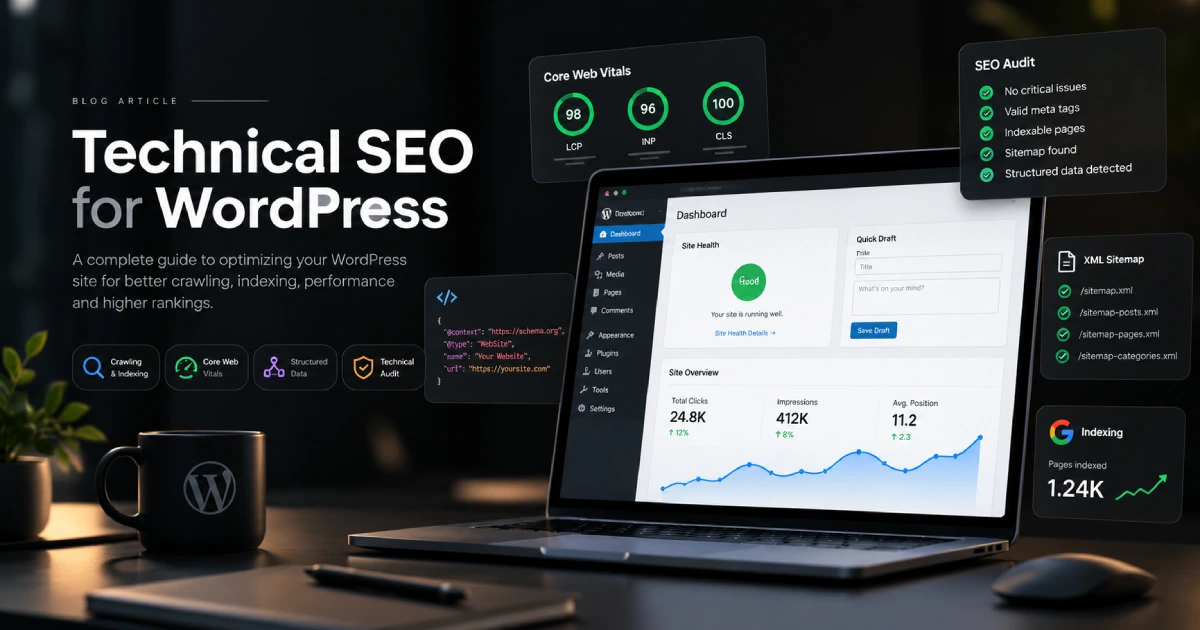
Creating useful content is an important part of SEO, but search engines also need to be able to access, understand, and index your website correctly. That is where Technical SEO for WordPress becomes important.
Technical SEO focuses on the structure and performance behind your website. It covers areas such as crawling, indexing, site speed, mobile usability, XML sitemaps, redirects, structured data, and URL structure.
WordPress provides a strong foundation for SEO, but simply using WordPress does not automatically mean a website is technically optimised. Themes, plugins, hosting, page builders, and configuration choices can all create issues that affect how search engines interact with the site.
A good technical SEO setup helps search engines understand your content while also creating a faster and more reliable experience for visitors.
What Is Technical SEO for WordPress?
Technical SEO for WordPress is the process of improving the technical elements of a WordPress website so search engines can efficiently crawl, render, and index its pages.
Unlike content SEO, which focuses primarily on keywords and information, technical SEO works behind the scenes.
For example, you may have an excellent service page targeting the right keyword, but it will struggle to generate organic visibility if Google cannot index it correctly.
Technical SEO therefore creates the foundation that allows your content and other SEO efforts to perform effectively.
1. Make Sure Search Engines Can Index Your Website
One of the first things to check is whether search engines are actually allowed to index the website.
WordPress includes a setting under Settings → Reading called “Discourage search engines from indexing this site.” This is useful during development, but it should normally be disabled when a production website goes live.
You should also review individual pages that have been intentionally marked as noindex.
Pages such as account areas, internal search results, or certain utility pages may not need to appear in Google. However, important service, product, category, and article pages should generally remain indexable.
Accidentally blocking valuable content can undermine every other SEO improvement you make.
2. Create and Submit an XML Sitemap
An XML sitemap provides search engines with a structured list of important URLs on your website.
Modern versions of WordPress can automatically create XML sitemaps, while popular SEO plugins can provide more control over which content is included.
Your sitemap should contain pages you actually want search engines to discover and index.
For example, if an archive or low-value content type should not appear in search results, there is usually little benefit in including it in your primary sitemap.
As part of Technical SEO for WordPress, the sitemap should also be submitted through Google Search Console so you can monitor whether Google is successfully discovering your pages.
3. Improve WordPress Website Speed
Website performance is an important technical consideration for both search engines and visitors.
Slow loading can be caused by poor hosting, oversized images, unnecessary plugins, large JavaScript files, inefficient themes, or excessive third-party scripts.
Start with the largest performance problems rather than installing multiple optimisation plugins immediately.
Useful improvements can include image compression, caching, modern image formats, reducing unnecessary JavaScript, and using a Content Delivery Network when appropriate.
A technically strong website should load quickly without sacrificing important functionality.
4. Optimise Core Web Vitals
Core Web Vitals measure important aspects of the real-world page experience.
They focus on loading performance, responsiveness, and visual stability.
When working on Technical SEO for WordPress, pay attention to large hero images, animations, cookie banners, fonts, sliders, and scripts because these can affect performance metrics.
Improving Core Web Vitals is not about chasing a perfect score at any cost. The priority should be creating pages that load quickly, respond smoothly, and remain visually stable while visitors use them.
5. Use SEO-Friendly URL Structures
URLs should be readable, descriptive, and logically organised.
WordPress allows you to configure permalink structures under Settings → Permalinks.
For most websites, descriptive URLs are preferable to structures containing unnecessary numbers or parameters.
For example:
yourwebsite.com/technical-seo-wordpress/
is easier to understand than:
yourwebsite.com/?p=2748
Keep URLs concise and avoid changing established URLs without a good reason. If a URL must change, create a proper redirect from the previous location.
6. Fix Broken Links and Redirects
Broken links create poor user experiences and can make a website more difficult for search engines to navigate.
Common problems include deleted pages, changed URLs, old campaign landing pages, or links pointing to products that no longer exist.
When an important URL changes permanently, use a 301 redirect to send visitors and search engines to the most appropriate replacement page.
Avoid creating long redirect chains such as:
Page A → Page B → Page C → Page D
Instead, Page A should ideally redirect directly to the current destination.
Regularly reviewing broken URLs is a simple but valuable part of Technical SEO for WordPress.
7. Improve Internal Linking and Site Structure
A good website structure helps both visitors and search engines understand the relationship between pages.
Important pages should not be hidden several levels deep within the website.
For example, a service page should ideally be accessible through the main navigation, related pages, or relevant articles rather than existing as an isolated URL.
Internal links also help search engines discover content and understand which pages are most important.
When writing new articles, link naturally to relevant service pages and other useful content rather than adding links simply for SEO purposes.
8. Optimise WordPress for Mobile Devices
Google primarily evaluates websites through their mobile version, making mobile usability a key consideration.
Responsive design should therefore be part of your technical setup from the beginning.
Check whether text remains readable, navigation works properly, forms are easy to complete, and interactive elements are comfortable to use on smaller screens.
Large pop-ups, oversized headings, complex animations, and poorly positioned buttons can create problems even if the desktop version looks perfect.
Technical SEO for WordPress should always include testing across multiple screen sizes.
9. Implement Structured Data Correctly
Structured data helps search engines better understand certain information on a page.
Depending on the website, schema markup may be appropriate for articles, products, organisations, breadcrumbs, events, and other types of content.
Many WordPress SEO plugins can automatically generate basic structured data.
However, more schema does not automatically mean better SEO. Structured data should accurately describe content that genuinely exists on the page.
Avoid adding markup purely in an attempt to manipulate search results.
10. Improve WordPress Security and HTTPS
A professional WordPress website should use HTTPS.
HTTPS encrypts information transferred between the visitor and the website and is particularly important for forms, account areas, and online stores.
You should also keep WordPress, themes, and plugins updated and remove extensions that are no longer required.
Security and SEO are different disciplines, but a compromised website can quickly create major search problems if malicious pages, redirects, or spam content are introduced.
H3: Technical SEO for WordPress Checklist
When reviewing a WordPress website, check that:
- Important pages can be crawled and indexed
- The XML sitemap contains the correct URLs
- HTTPS works correctly
- Pages load quickly on mobile and desktop
- Core Web Vitals are monitored
- URLs are clean and descriptive
- Broken links and redirect chains are fixed
- Internal linking supports important pages
- Structured data is accurate
- Themes, plugins, and WordPress core stay updated
These fundamentals provide a much stronger technical foundation before more advanced SEO work begins.
How Often Should You Audit Technical SEO?
Technical SEO is not a one-time task.
Websites change constantly. New pages are published, plugins are installed, products are removed, redirects are created, and design changes can introduce new performance problems.
For smaller websites, reviewing the technical setup every few months may be enough. Larger WordPress or WooCommerce websites may benefit from more frequent monitoring.
You should also perform checks after major migrations, redesigns, domain changes, or significant plugin updates.
Final Thoughts on Technical SEO for WordPress
Good Technical SEO for WordPress makes it easier for search engines to find and understand your website while improving the experience for real visitors.
Start with the fundamentals: indexing, XML sitemaps, website speed, mobile usability, clean URLs, internal links, redirects, HTTPS, and structured data.
The objective is not to optimise every technical detail simply because an SEO tool reports an issue. Prioritise problems that genuinely affect crawling, indexing, performance, or user experience.
When the technical foundation is strong, your content, keyword strategy, and link-building efforts have a much better opportunity to deliver results.